Deutsche Telekom Smart Home UX Case Study
Magenta Smart Home
The Deutsche Telekom Magenta smart home distinguishes itself through cross-device compatibility, controlling nearly every smart home device type. My responsibilities included rethinking German consumer heating controls and rebuilding the complete smart home experience.
My Role:
As Senior UX Designer, my responsibilities included user research, design thinking workshops, persona development, creating heating automation interfaces, and designing the scenes and automations features for the Magenta Smart Home app.
Problem Statement
The initial challenge addressed automating temperature regulation while maintaining comfort - "the user should never get back to a cold home" - while achieving energy efficiency. To comply with my non-disclosure agreement, I have omitted and obfuscated confidential information in this case study.
Heating Behavior Analysis
Understanding German heating systems was crucial for designing an effective smart thermostat solution. Unlike U.S. electricity-based A/C systems, German homes use different heating sources:
- Natural gas: 48% of German homes
- Oil: 25% (primarily older buildings)
- Both systems heat water distributed to desired areas
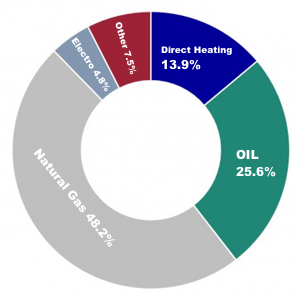
German Heating Sources Research
Digital Thermostat Creation
Observation revealed users primarily desire three thermostat functions: turning on/off and temperature readjustment. The design featured an on/off switch per thermostat with optional temperature adjustment capability.
Heating Plans Feature
Users wanted customizable temperature schedules across different rooms and times. The interface allowed viewing all rooms, accessing default programs, creating custom plans, and copying settings across rooms.
Rethinking Smart Home Experience
Inspired by the IFTTT app model (conditional device combinations), the design challenge was creating powerful functionality without excessive complexity for broader audiences.
Design Thinking Workshops
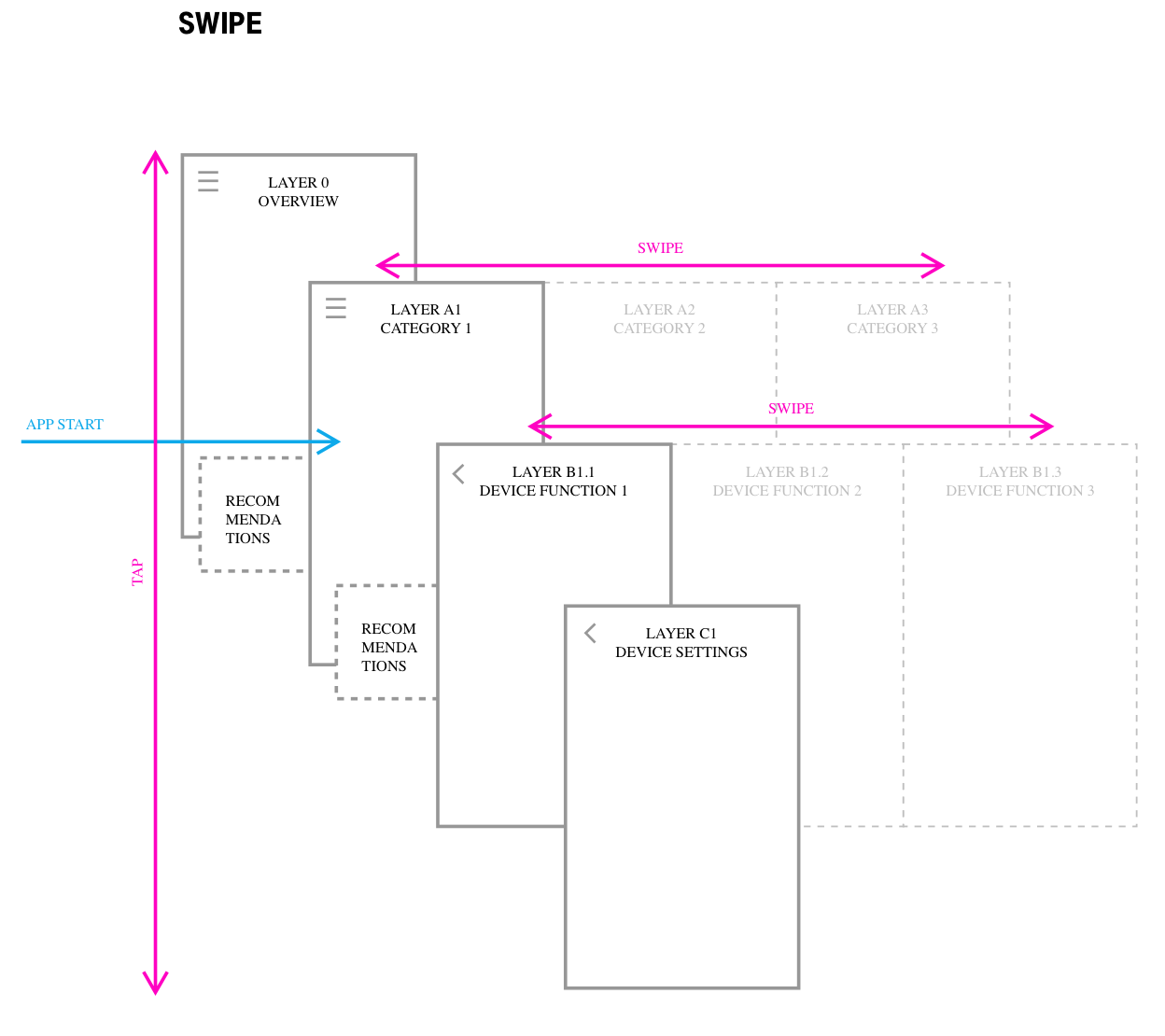
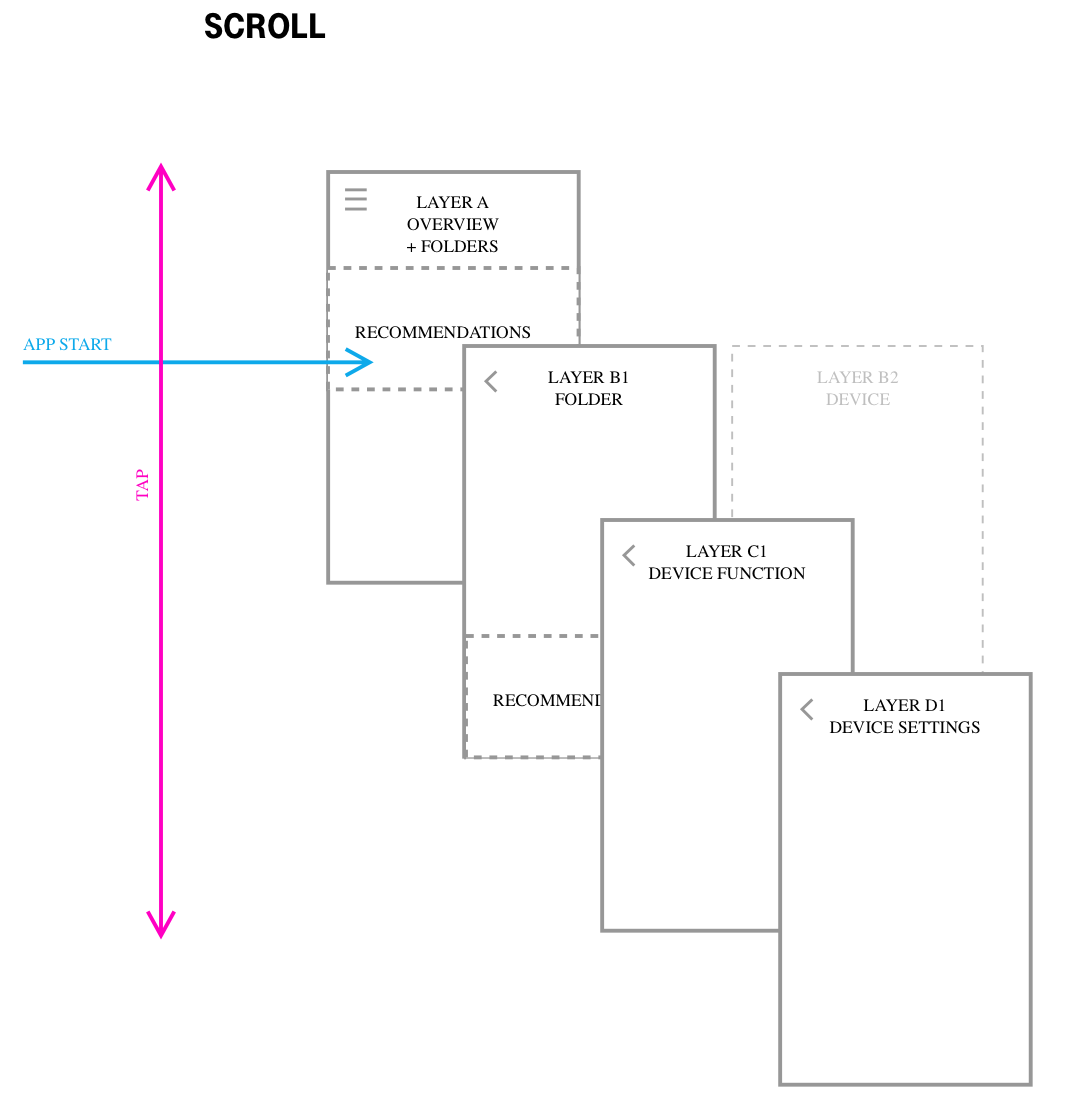
Multiple iterative sessions addressed holistic user interaction approaches, app navigation structure and layering, and optimal information architecture.
Workshop Focus Areas
- Holistic user interaction approaches
- App navigation structure and layering
- Optimal information architecture
- Device pairing and configuration flows
Design Thinking Workshop
Design Thinking Workshop
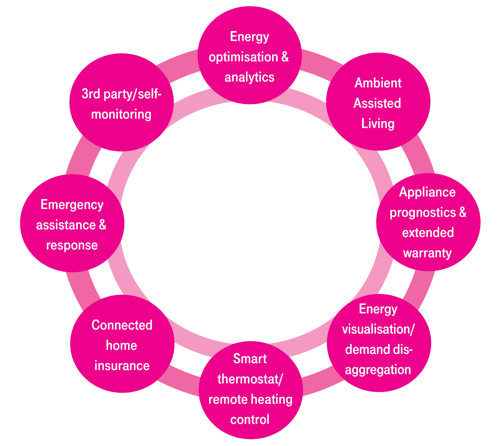
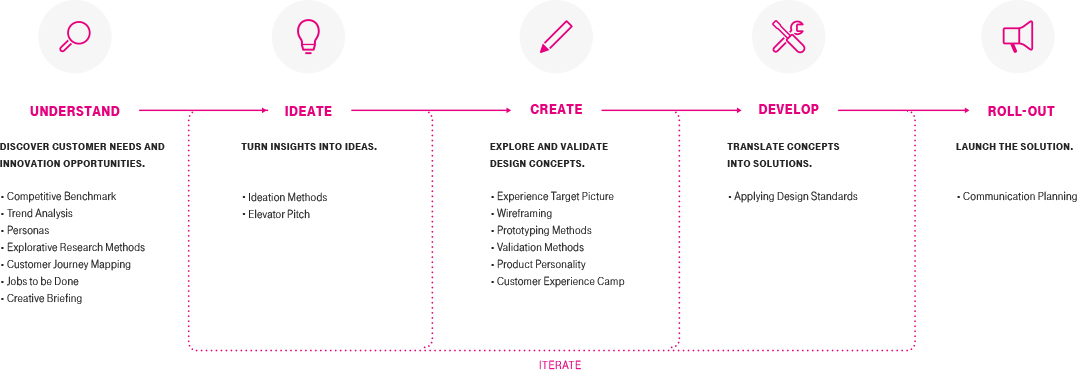
We organized multiple design thinking workshops, we set up an iterative process to consider all steps needed to create an innovative product. In the workshops, we had small task groups that focused on a specific part of the product. My team and I worked on the holistic interaction approach for the users, how many layers should the app have to be understandable. How will users navigate through the different sections and so on.
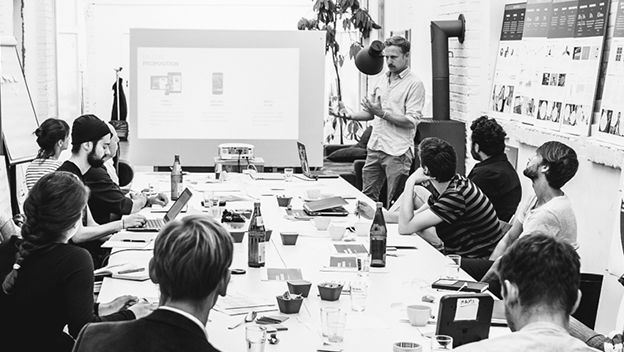
Design Thinking Workshop
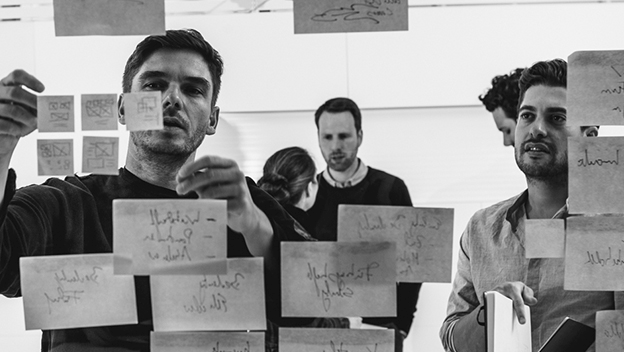
How might we... Exercise
Customer Journeys
Because we had different user types we created some personae specifically for the Magenta smart home app. We created the technological enthusiast Harald which already had experience with smart home apps and is interested in extremely customizable experiences. And on the other hand, we created Maike, which had a small sense of smart home technology and needed help throughout her configuration time.
We then studied Harald and Maike with a Customer Journey for each of them, in this way we can explore what the pain points are and if there are unexplored possibilities.
One of the main findings for Maike was that she needed help from the beginning. We came up with the Idea of adding recommendations based on her paired devices. In this way, she would skip the difficult configuration process. On the other way, we needed to position the recommendations in a non-disturbing way to not interrupt the navigation from Harald. These 2 Personas helped us to create a product that suits all the special needs of the different customers.
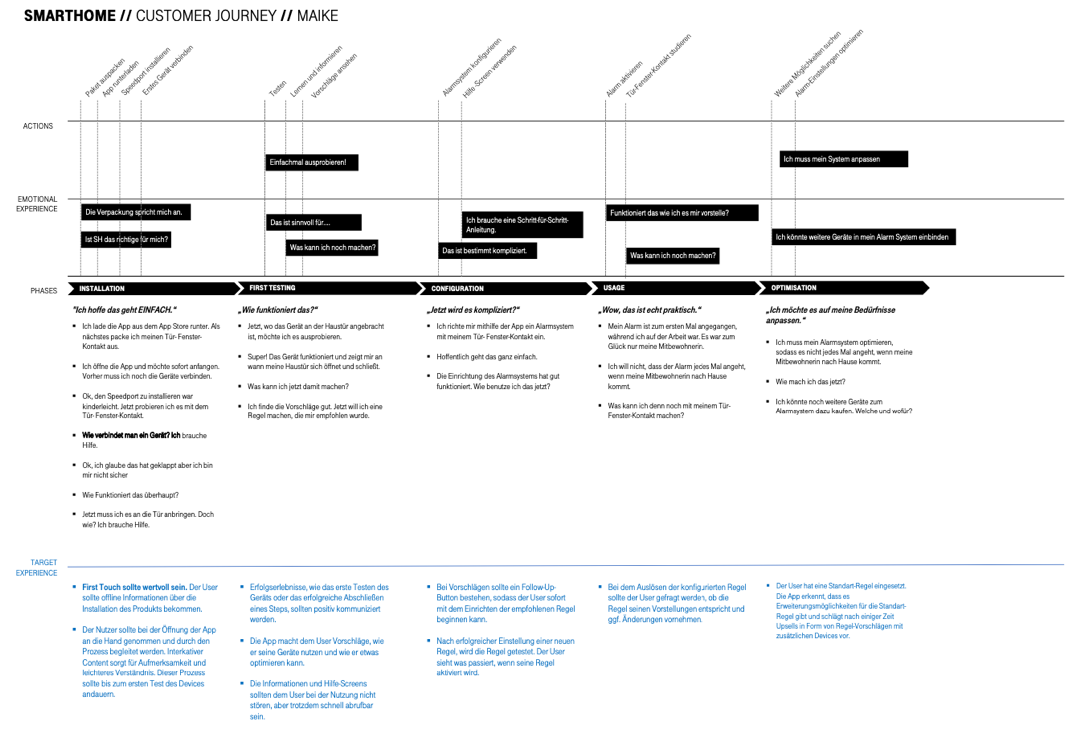
Customer Journey Map (click to expand)
Harald - Tech Enthusiast
Power User
Technology enthusiast seeking extremely customizable experiences with existing smart home knowledge. Wants full control over automations and device configurations without hand-holding.
Maike - Newcomer
Beginner User
Minimal smart home background requiring configuration assistance. Needed device-based recommendations to bypass complicated setup and guided onboarding experiences.
New Features Implementation
Digital Thermostat for European Market
We designed a digital thermostat interface specifically tailored for the European heating market. Unlike US-based AC systems, European homes primarily use water-based heating distributed through radiators. The interface needed to accommodate different heating sources while providing intuitive temperature control and scheduling capabilities.
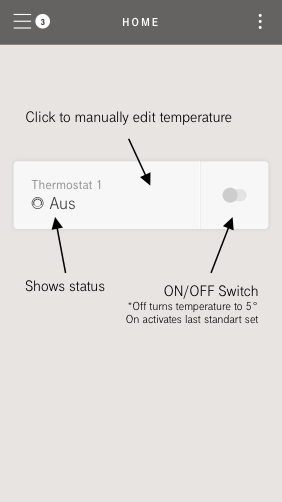
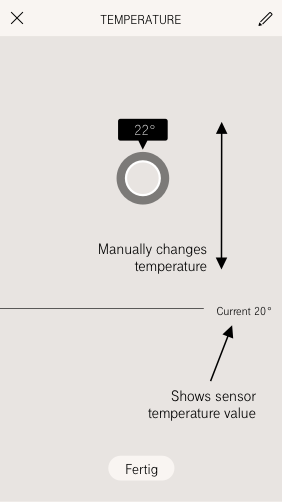
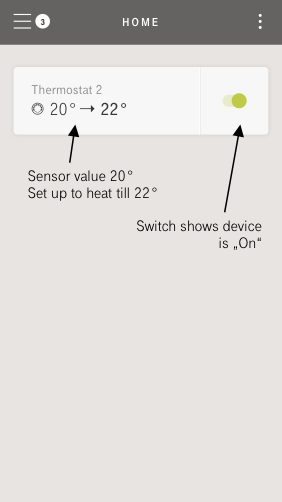
Making Thermostats Smart
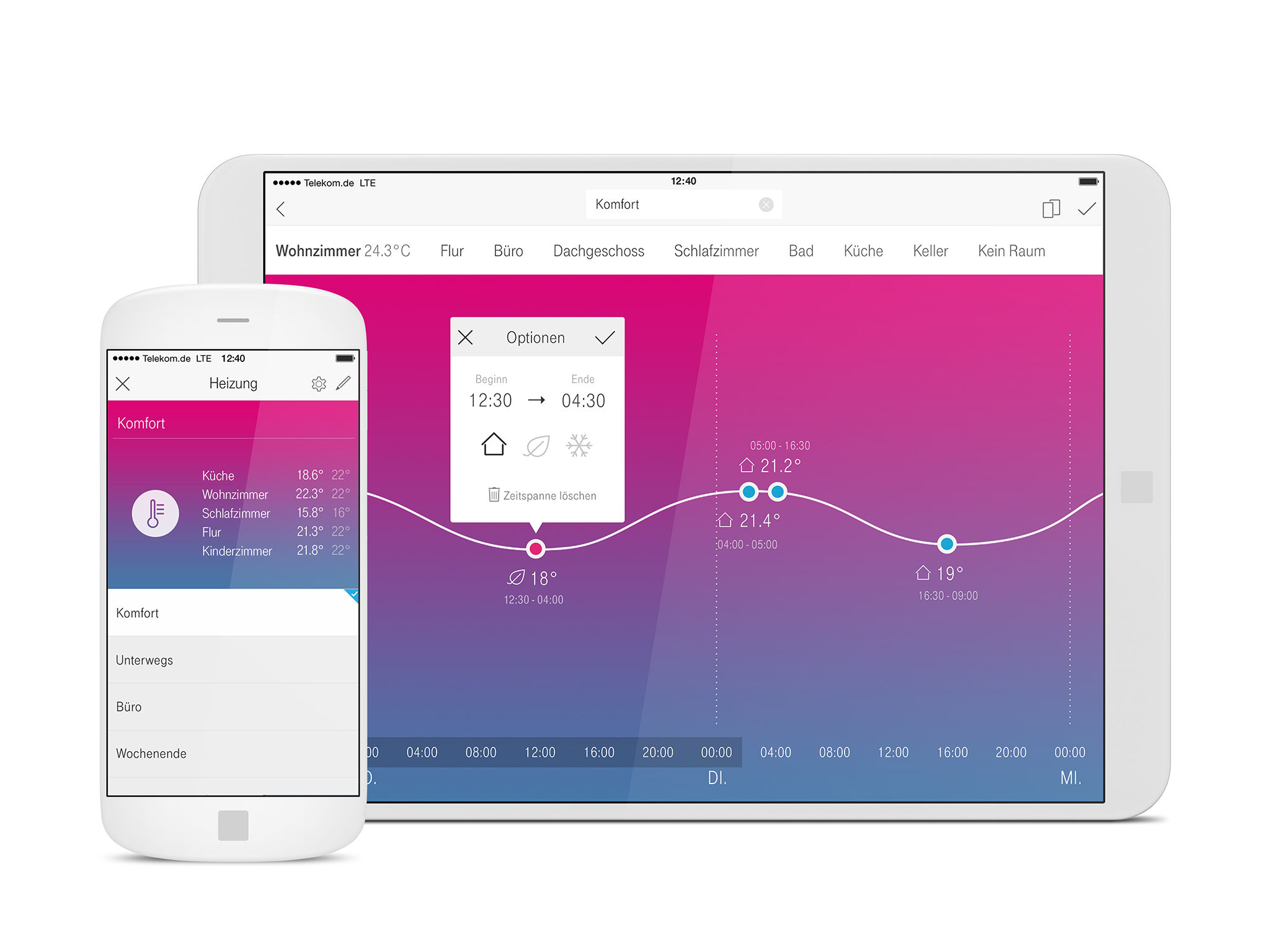
Now that we had the individual control of a single thermostat we wanted to include a heating plan. Users wanted different temperatures in different rooms at different times of the day. So we had to design a completely adjustable program that the user can create depending on his individual needs. The Heating panel opens when the user pairs a new thermostat or he navigates to the device recommendation screen and clicks on heating.
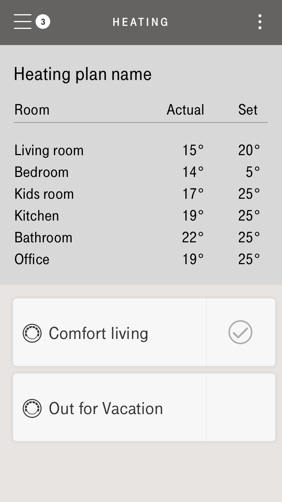
In the Heating section, the user sees all rooms that have at least 1 thermostat. 2 default programs are already available so the user can experiment with them first.
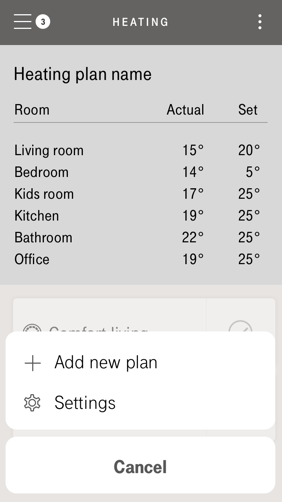
When he clicks in the upper right corner he can add a new plan besides having some settings for the heating system itself.
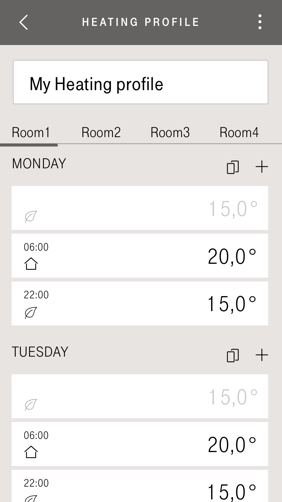
Users can add a new plan with customized heating times. They can easily add or remove heating periods such as copying a complete day or week and re-use it in different rooms.
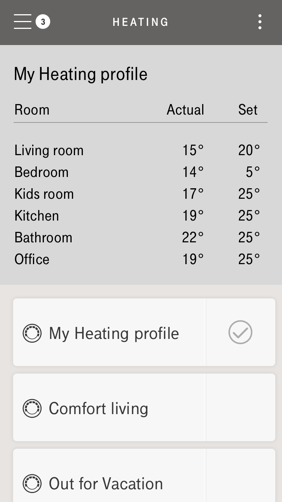
Once the user has finished editing he's a customized profile, this will appear as a new program in the Heating system screen, He can easily switch between heating programs.
Adding 'Scenes' Feature to combine devices
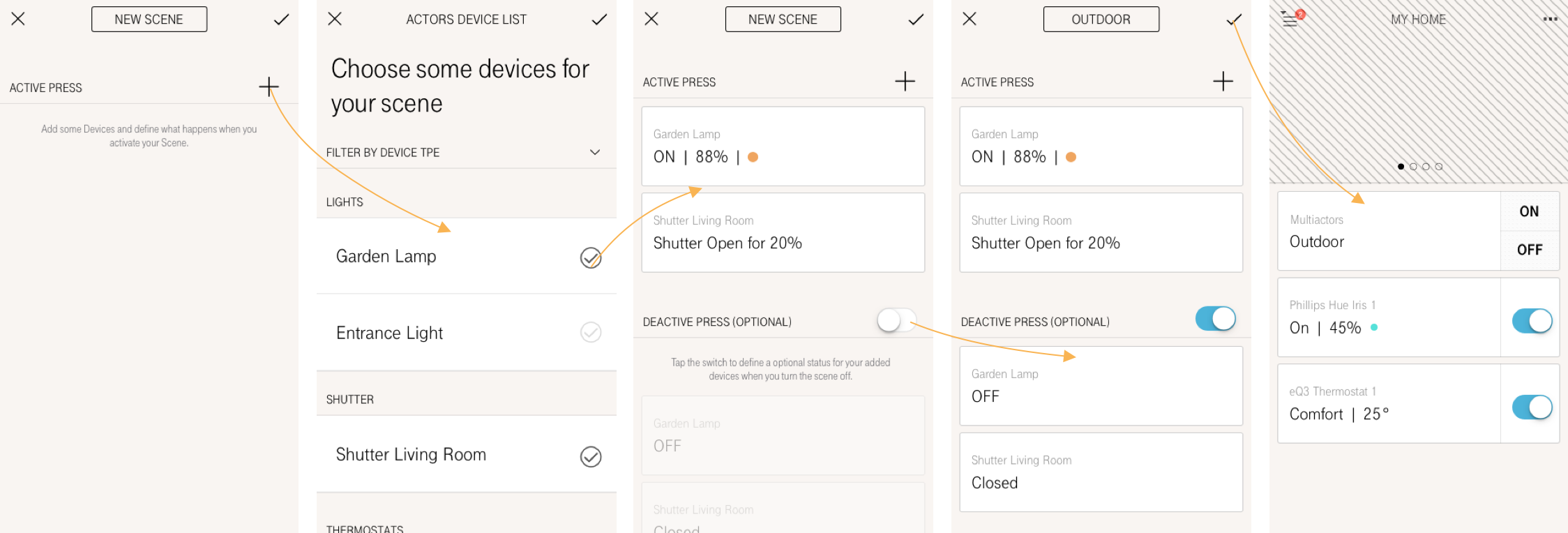
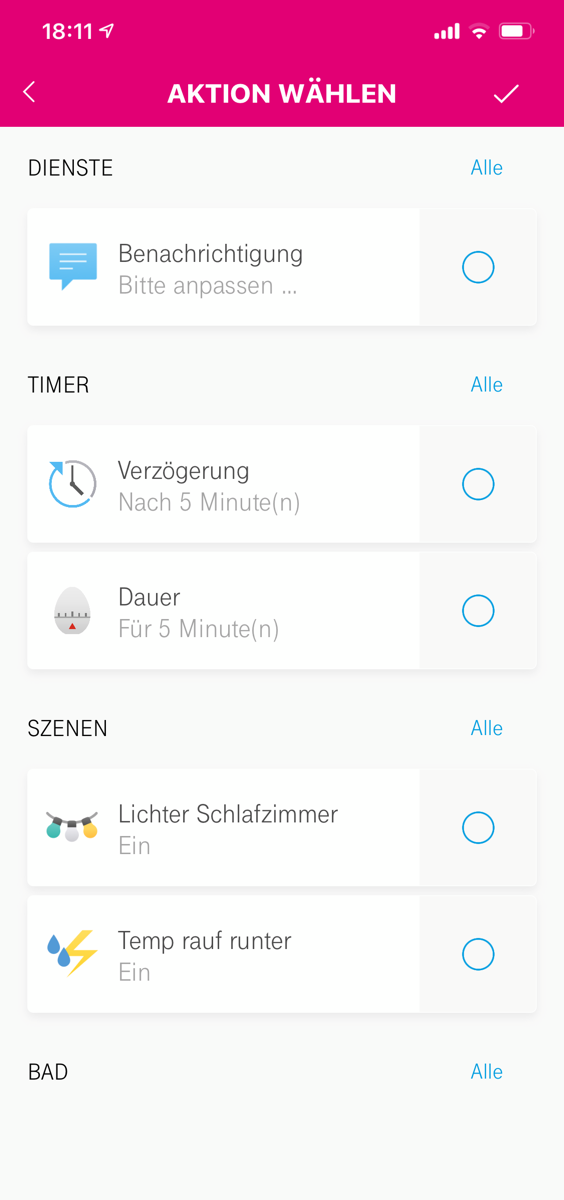
If we think about the most common devices we use in a group we think about devices from the same species, e.g. Lightbulbs, shutters, or thermostats. But what if we wanted to mix lightbulbs with shutters? This is exactly what we wanted to give our customers, extreme customization. When activating a Scene there is something that goes into a certain status. So the user needs to configure the status that will be activated with the scene and having the option to create a second trigger in the same scene that then will activate a second status. In this form, you can use a scene to turn on a lamp to 88% brightness and put the shutter to 20%, and optionally set an off trigger. This way you can now trigger your 2 defined configurations with only 1 device card.
Adding Automations to overlord of smart home customization
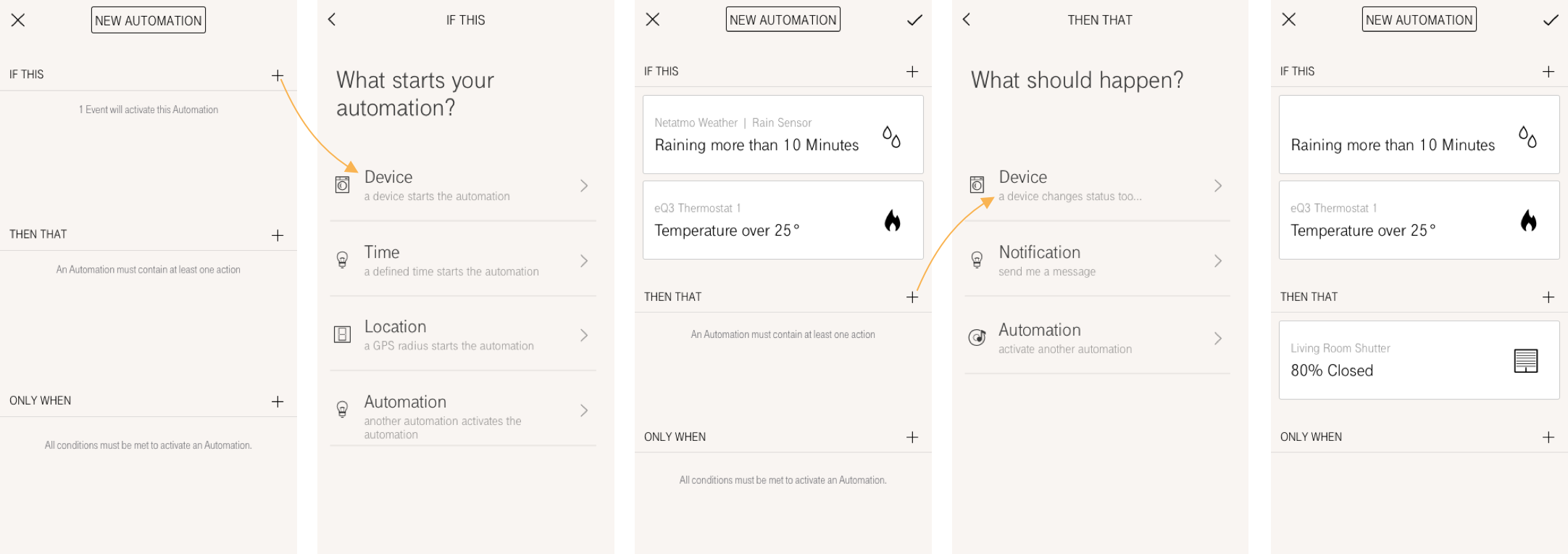
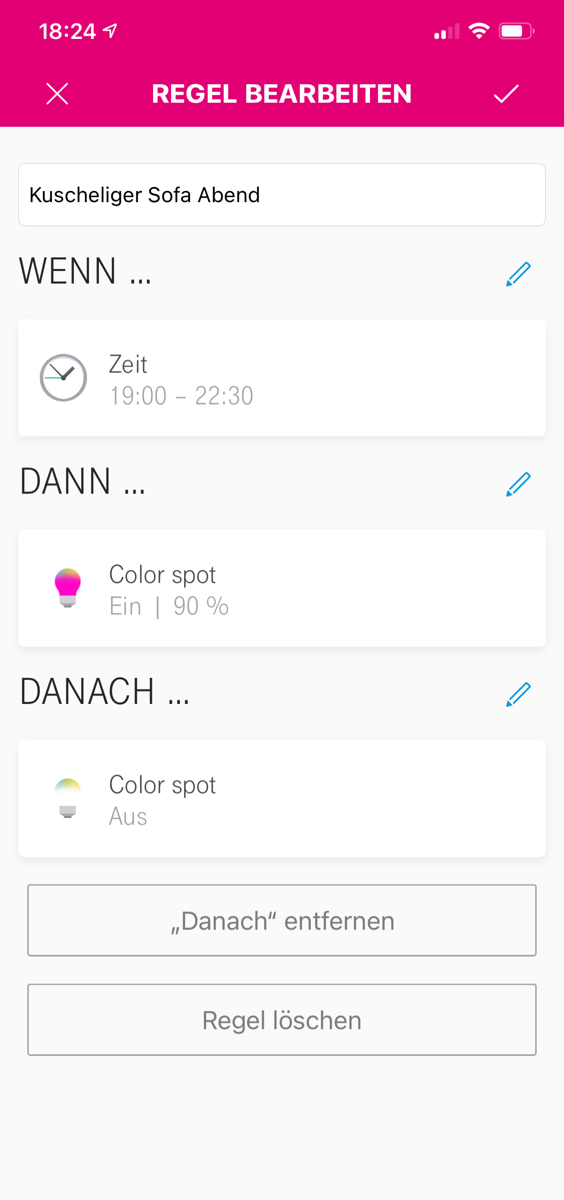
The term Human-centered is what drove us to create this concept for the maximum customization feature "Automations" To reduce the complexity and decreasing the learning curve significantly we decided to create a screen where the user always returns to see the configuration of his automation to see what he already has programmed. By having the dialog "If this - Then that - but only when" it made it easier to understand.
So by adding something in "If this" the user can select what will start his automation, this can be a device, a certain time, or even a specific location the user reaches. In the section "then that" the user sets what will happen when it activates, and optional is the section "only when" that represents a status that needed to be fulfilled to activate the automation.
In this example the user selects 2 devices as trigger, if the Netatmo rain sensor "detects rain for over 10 minutes" and the thermostat 1 "temperature is over 25°" then the living room shutter "is 80% closed".
Final Implementation
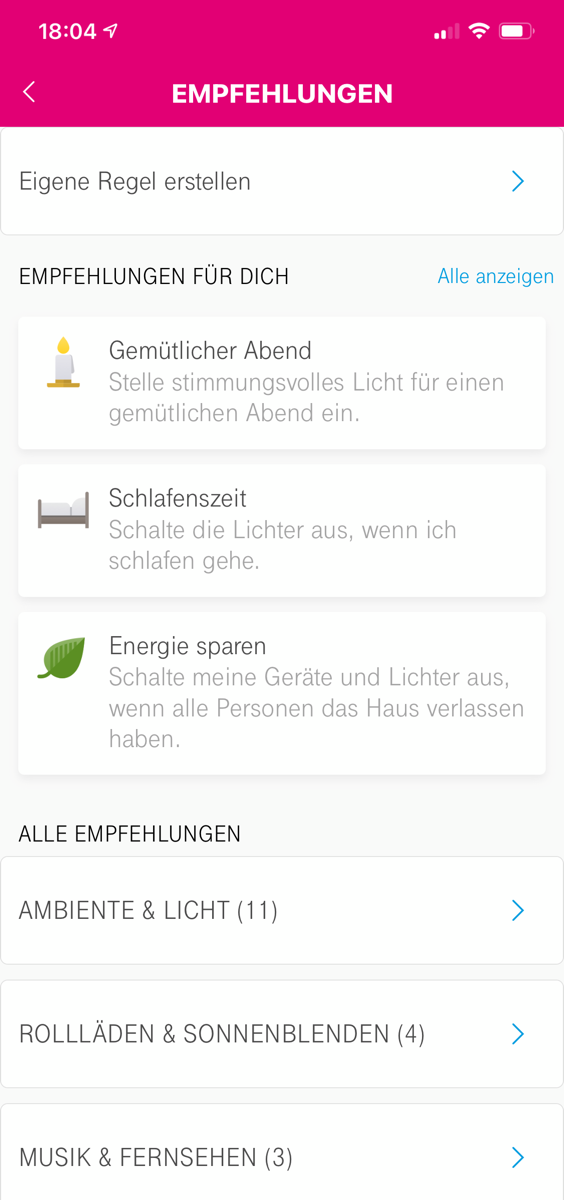
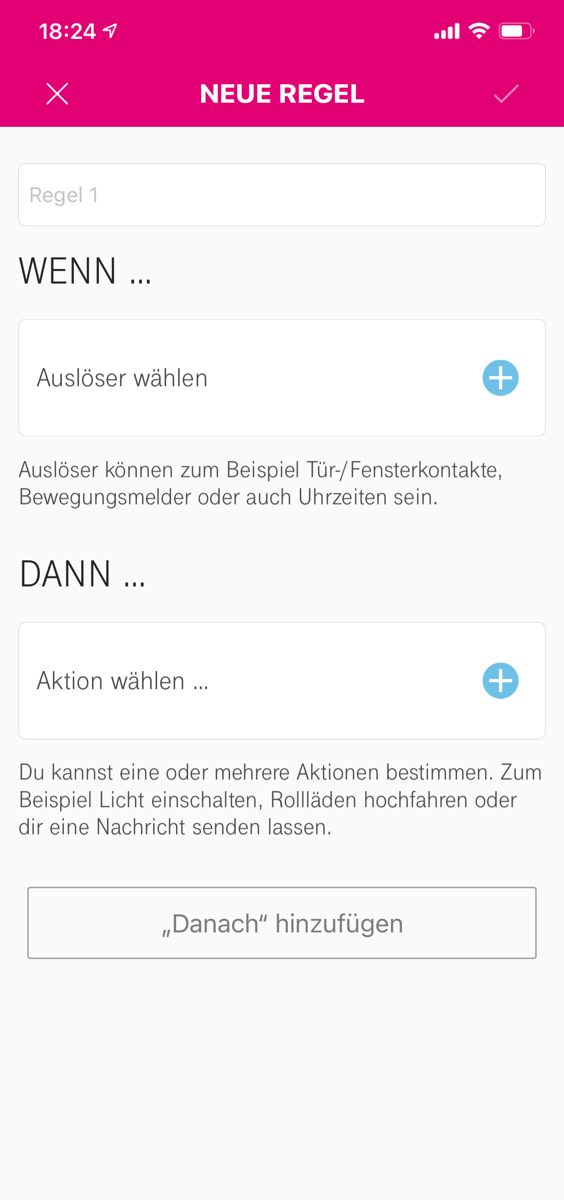
After all the iterations we had in the Ideation and creation phase we started to generate some content for the recommendation automation. The idea was to inspire users to set up some automation even if the necessary devices are not paired yet, this way users see what's possible and consider buying devices based on generated needs through the recommendations. We also had to remove the "Only When" feature from automation because from the technology side it was not feasible at the moment, but in the long term, it is still desired to implement.
Product Impact

The app was well received by customers overall, but demanding customers that have multiple smart home applications at home were amazed by the flexibility this new system gave them. The product ended up winning the IF Design Award 2017.
35% Heating Cost Reduction
Documented savings over one year through smart heating automation and optimized temperature scheduling.
Broader Audience Reach
The redesigned experience broadened audience accessibility through improved marketing and user-friendly onboarding.